How it works
Paste a LinkedIn URL
Drop one or many post URLs into the app. Each post is saved and the work starts in the background, no waiting on the screen.
Pull the post and every commenter
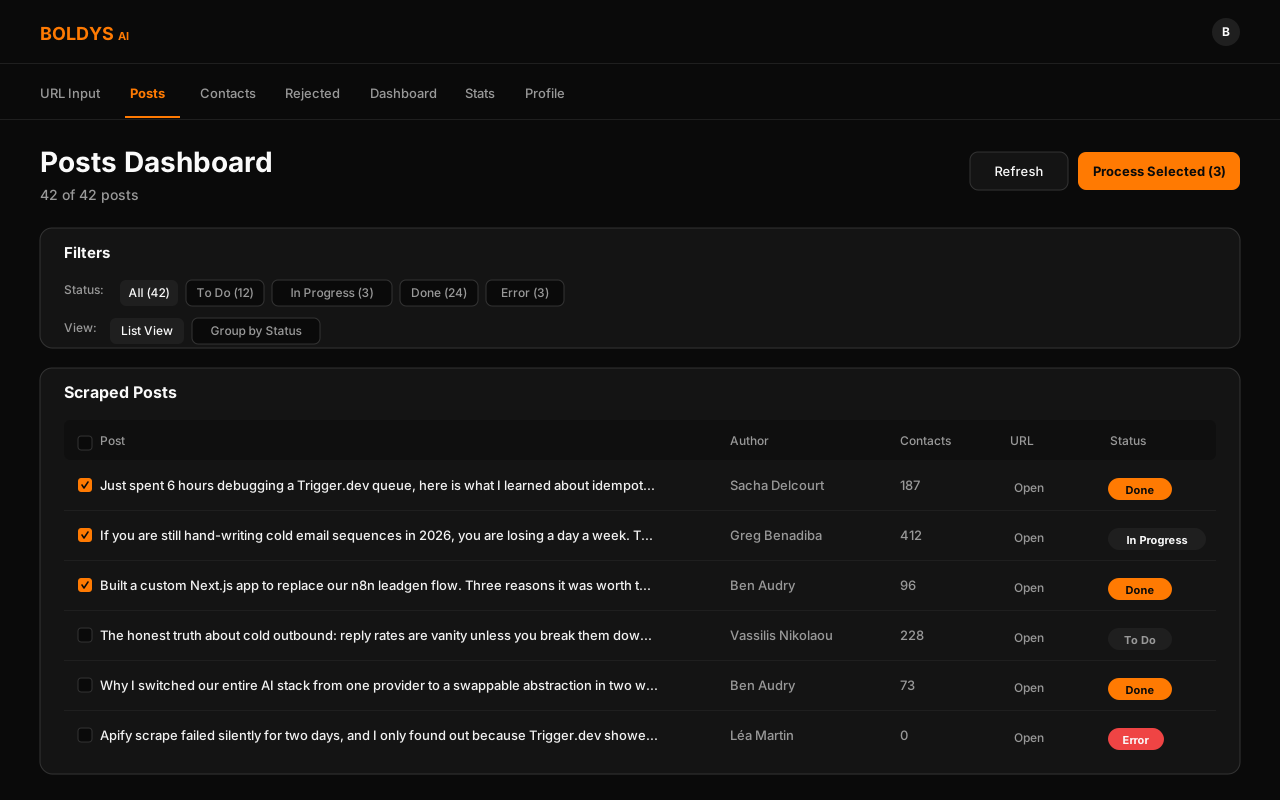
The app reads the post and every person who commented, including which language they wrote in. The Posts tab shows each URL and where it is in the process.
Find each person's email
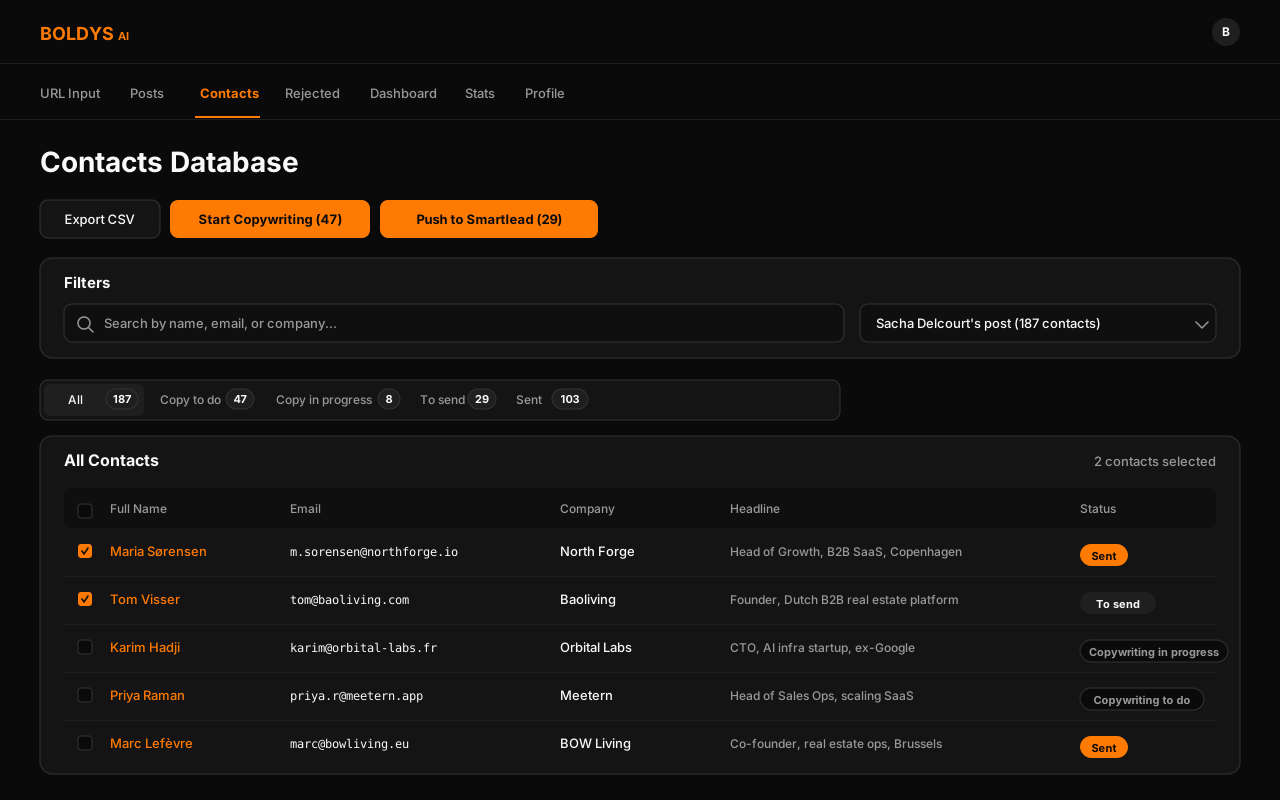
For every commenter, the app finds a real work email plus basic info on their company. The Contacts tab fills in as it works.
Filter to my ideal customer
Each contact is checked against my ideal customer rules (job title, seniority, company size, country, industry). Anyone outside the criteria is set to skip, so the AI never wastes a sequence on the wrong person.
Write 3 emails per person
Click generate. The AI writes 3 personalised emails for each kept contact, in the same language as the original post.
One click to launch
Send everything to SmartLead with one button. The campaign goes live and the emails send on the schedule I set.
Why I rebuilt it as an app
I had already built this same idea twice. Once as an n8n workflow, once as an Airtable product. Both work, but both hit a wall. n8n is quick to build but hard for a team to use. Airtable is easy to look at, but the logic gets spread across automations, scripts, and views, and the screens are whatever Airtable lets me build.
A real app gives me three things the other two can't: a clean screen for daily use, settings any teammate can change without touching code, and a tidy split between the parts of the system. No more workflow tools to maintain, no more Airtable scripting limits, just code I own from start to finish.
How the app is built
The two screens I use every day
The Posts tab shows every URL submitted to the app and where it is in the process. The Contacts tab is the heart of it: every person the app has touched, their email, the 3 emails written for them, and a status for both the writing and the sending.
Editable prompts and ideal customer rules
The AI that writes the emails can be switched between three providers (Anthropic, OpenAI, or Groq) with one setting. Cost and quality both shift with the choice, so changing providers is one click, not a code update.
The ideal customer rules and the email prompts live inside the app, edited from the Profile tab. The rules say things like "only contacts with this job title, in this country, working at companies of this size", and anyone who fails them is automatically skipped. The team can change the filters, the tone of the emails, or the exclusions without writing code. That is the whole reason I built this as an app instead of a script.
How it was built
Built with Claude Code. Every feature followed the same loop: write a one-page spec, plan the work, ship the slice, test it on real data. The shape of the app was designed up front so it stayed clean instead of turning into a tangled pile of files.
Background jobs run on Trigger.dev. The login is kept simple on purpose, the app is private and only used by the team. Hosted on Vercel.