How it works
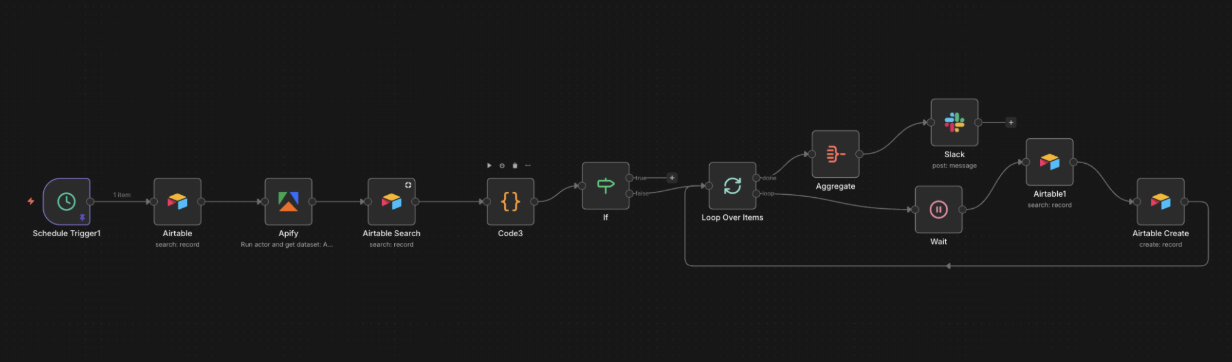
Daily scrape (scheduled)
A daily trigger pulls the tracked influencer list from Airtable. Apify returns each influencer's latest posts: URL, content, date, likes, comments.
Dedupe + write
The system compares against the posts table, only new posts are appended. Slack notification fires when fresh posts are ready to review.
AI drafts the comment
An OpenAI agent drafts a comment per post using post content plus a voice prompt I keep tuning. One personalised comment per post, no generic "Great post!".
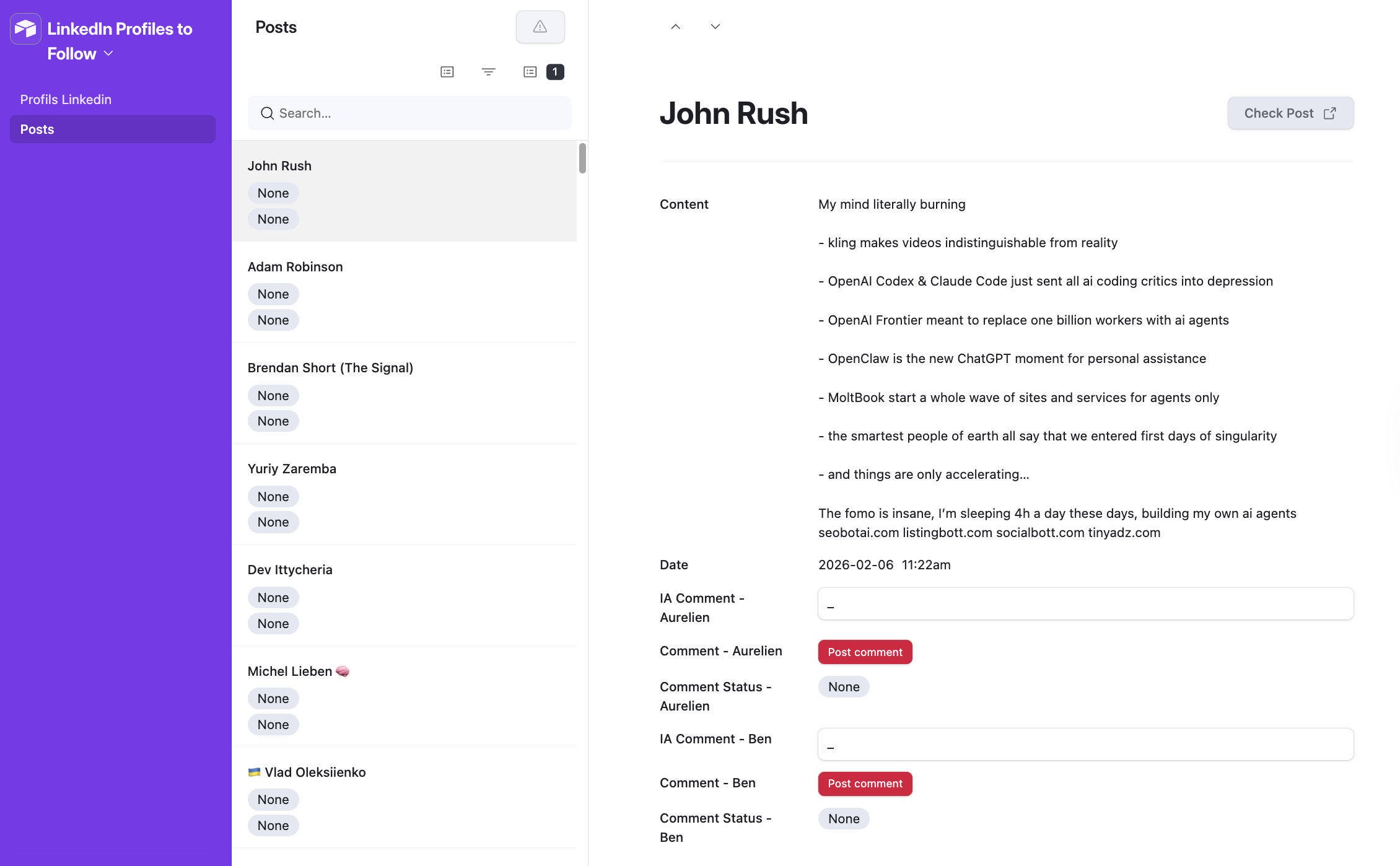
Review and edit
Each row shows author, date, post link, engagement counts, and the draft. Tweak in place or regenerate. The human stays in the loop.
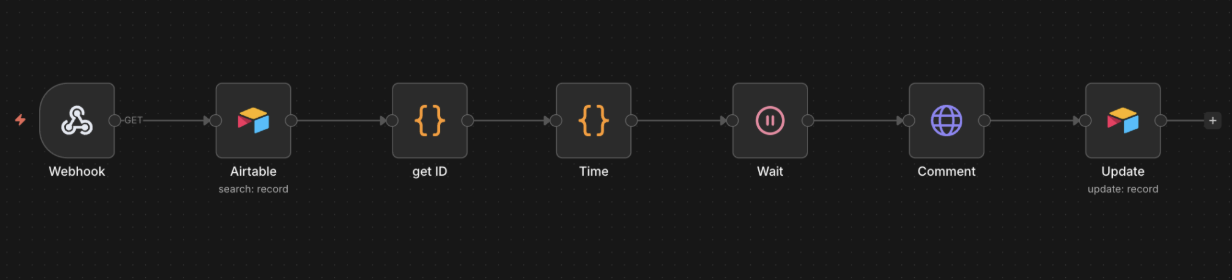
One-click post (button-triggered)
"Post comment" button fires the second workflow. Comment lands under the original LinkedIn post. Status flips to done.
Engagement logged
Every post is logged with likes, comments, and reach. Dedupe ensures the same post never gets two comments.
Why this works for outbound
Cold DMs are a closed room. Commenting on a high-engagement post puts you in front of the author's network with social proof. Quality of the comment is what makes or breaks the channel; a generic "Great post!" is visibly worse than a thoughtful one. The AI agent has the post content plus a voice prompt I keep tuning, so the drafts read as human.
Two workflows, one Airtable
Split deliberately. The daily scrape is a schedule. The comment post is a button click. Two tabs in Airtable: the influencer list (URL, name, title) and the posts (auto-populated daily, sorted newest first). The human stays in the loop at the approve step, which is where the judgement call lives.